Free online photo tool
Change Photo Background to White
Remove a photo background, make it white or transparent, and download a clean image. Free, online, and no signup.
- 1Upload photo
- 2Remove background
- 3Choose background
- 4Download
Upload a photo
JPEG, PNG, WebP up to 6 MB; HEIC/HEIF up to 15 MB
Drop a photo here
Works best with products, clothing, objects, and other clear foreground subjects. Tap to use your camera or photo library.
Your photo is transmitted over HTTPS for processing.
Preview & download
Original dimensions · White background
Select a photo, then start background removal.
The image is validated by this site and processed through Eden AI with PhotoRoom.
Free Background Changer for Product and Resale Photos
Change the background of a product, clothing, or resale photo online. Choose white, transparent, light gray, or cream, preserve the original dimensions or use a 3:4 canvas, and download the finished PNG without creating an account.
See the result
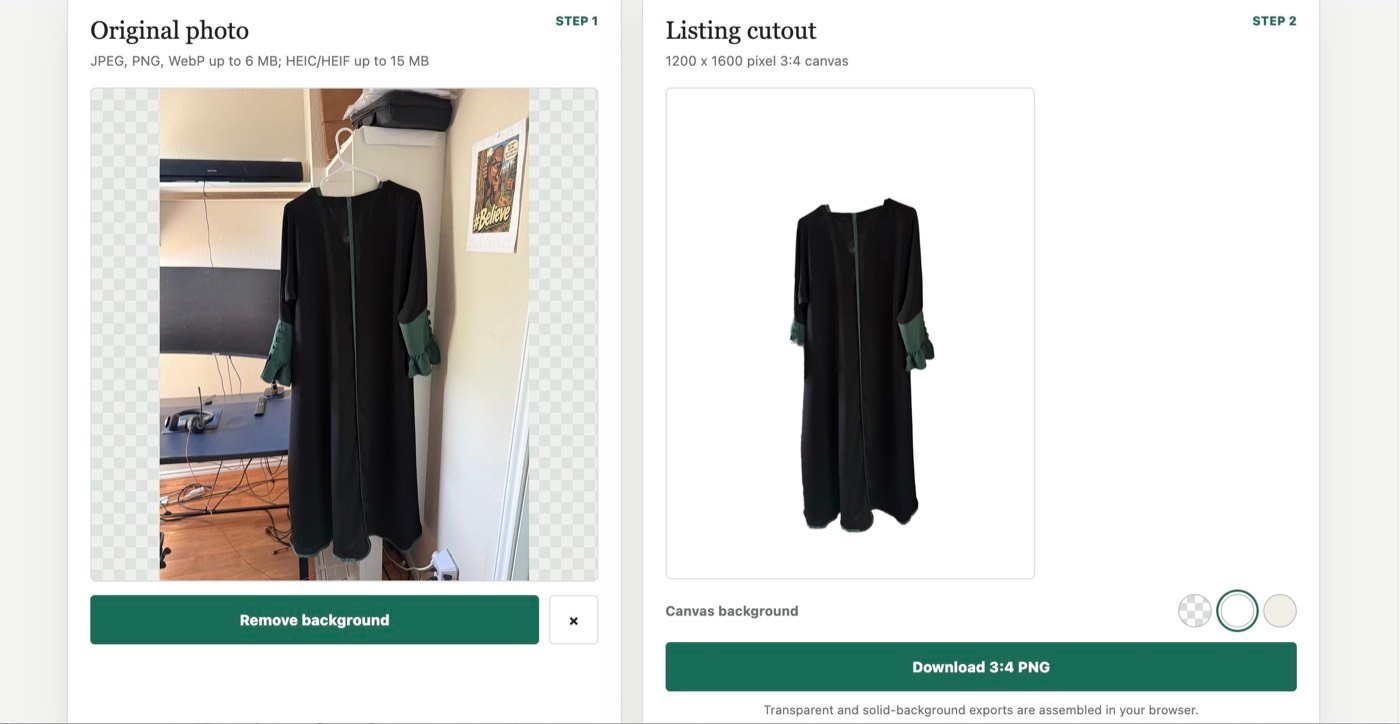
A real clothing photo processed by this tool, shown before and after the background was changed to white.
Clear data handling
HEIC and HEIF photos are converted to JPEG in your browser before upload. Your converted image is transmitted over HTTPS to this site's PHP proxy, Eden AI, and PhotoRoom for background removal. The temporary Eden upload is deleted after processing. PhotoRoom says images sent to its synchronous API are discarded after each call and are not used for model training. Do not upload sensitive images or photos of people. This site does not create an account or intentionally keep a permanent copy.
Where is my image processed?
The image is uploaded to Eden AI and sent to PhotoRoom for background removal. Eden says its own request and response content is not stored by default; this site also requests deletion of the temporary Eden upload immediately after processing. PhotoRoom's separate provider policy applies to its processing.
What makes a cleaner cutout?
Use a sharp image with the entire item visible, even lighting, and clear separation between the item and its surroundings. Fine lace, fur, and transparent fabric may need extra review.
Check marketplace rules
Marketplace photo policies differ. Vinted's current Catalog Rules state that listing photos should represent the item as it is and that image editing is not allowed. Review the current Catalog Rules before using a processed image.
This tool is intended for lawful uses where background editing is permitted, including permitted resale channels, catalogs, inventory records, and private previews.
Can I use a changed background on Vinted?
Vinted's current Catalog Rules say listing photos must represent the item as it is and that image editing is not allowed. Check the current rules before uploading any processed image. This independent tool is not affiliated with Vinted.